
Financial Planning for Advisors
I re-designed a Financial Planning tool for more effective, data-driven storytelling
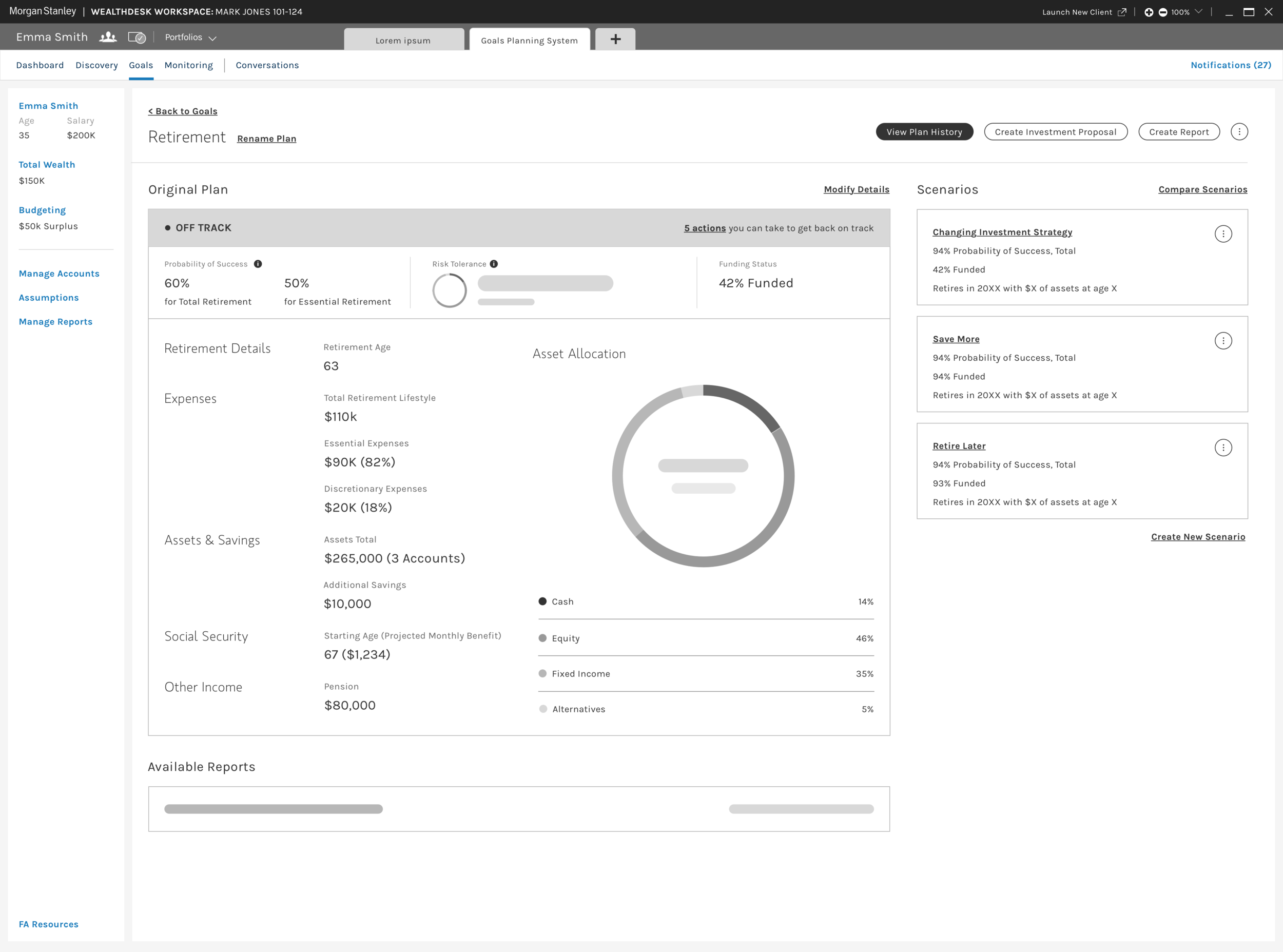
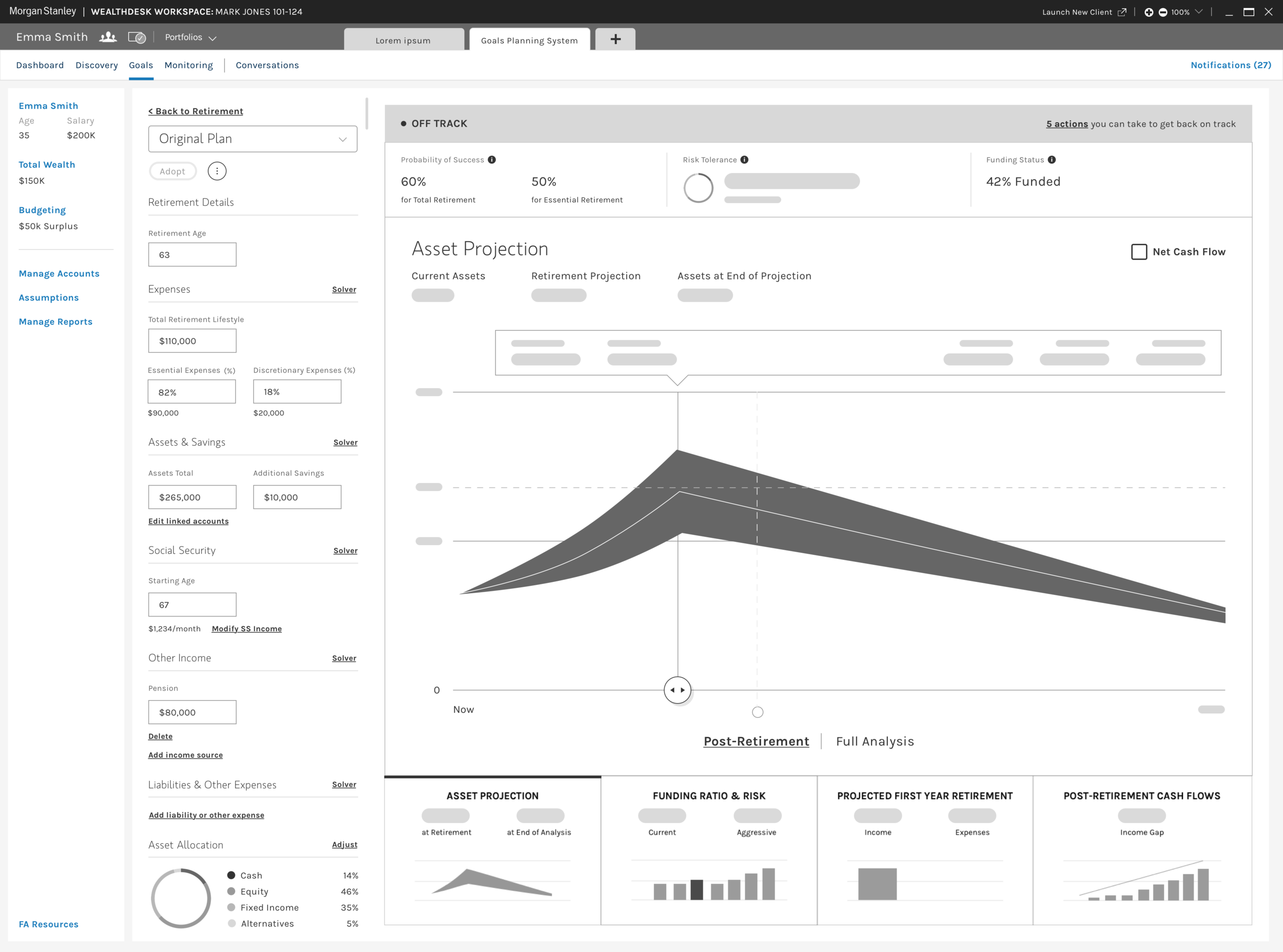
In 2018, Morgan Stanley began a multi-year process of re-designing the Goals Planning System, an internal platform for Financial Advisors and their teams to capture, optimize, and monitor their clients make short- and long-term financial goals
The initial focus centered on rebranding the platform’s voice and tone to match those of the authenticated client experience. We quickly pivoted towards rethinking and revising key modules, journeys, and the overall information architecture to:
Strategically surface the Firm’s intellectual capital during key moments in the goal planning journey;
Scale the experience up or down based on the Advisor’s context and their information needs;
Inspire the Advisors to tell more visually compelling and data driven stories to their clients about their financial goals
My contribution
I co-led the re-design of the Goals Planning System and worked alongside the Internal Planning Tools Design Lead to:
Oversee a team of 6 visual design consultants based in Portland, Oregon;
Review and provide directional feedback on deliverables created by the team, including high-level user flows, low-fidelity prototypes, and low- to mid-fidelity wireframes;
Engaged with Product and Business partners to set expectations, crystallize business requirements, and socialize proposed design solutions
In addition, I owned the preliminary UX deliverables to support 2 key modules: Scenario Planning; and Reporting
N.B. This remainder of this case study will focus on the Reporting module
Approaching the Reporting module
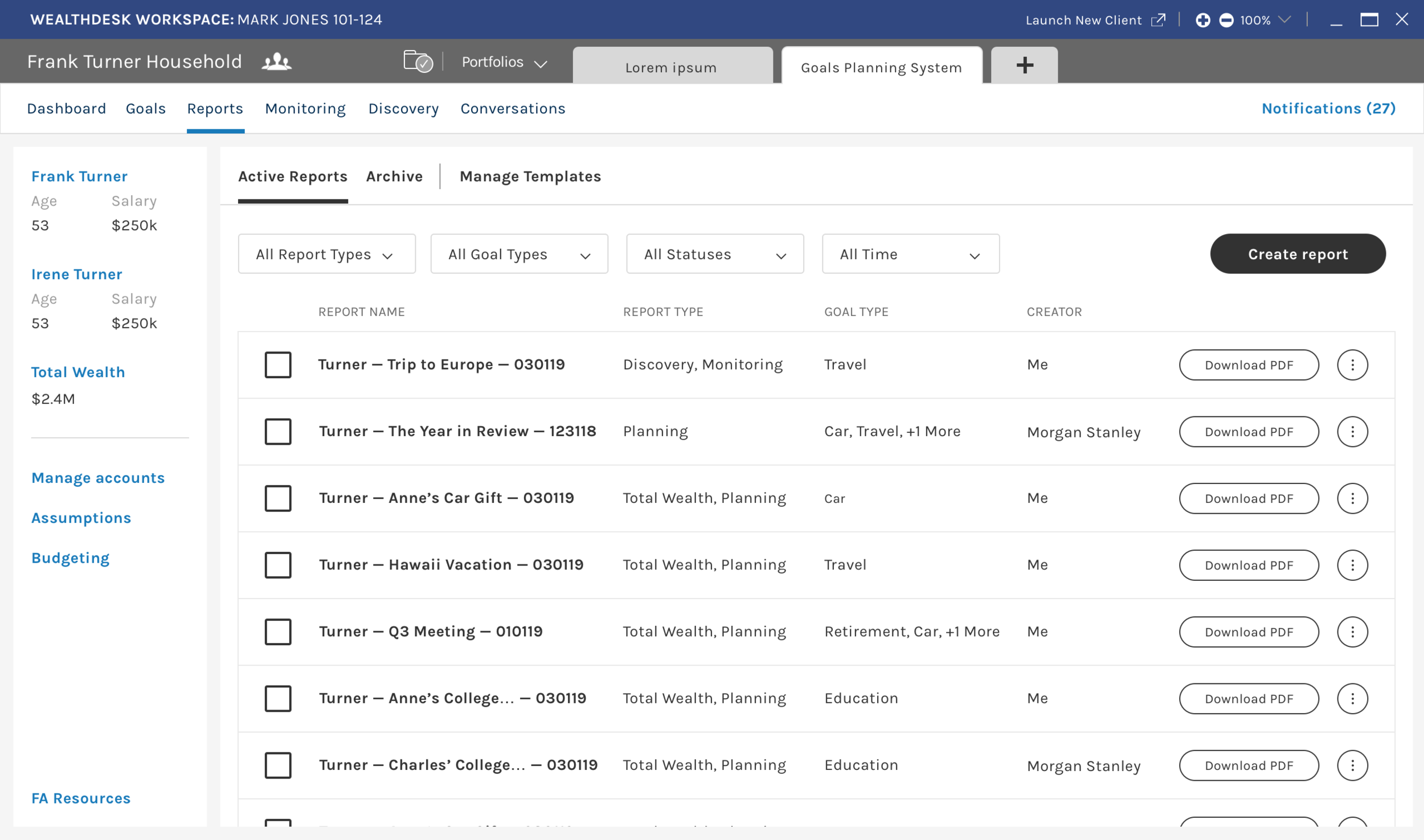
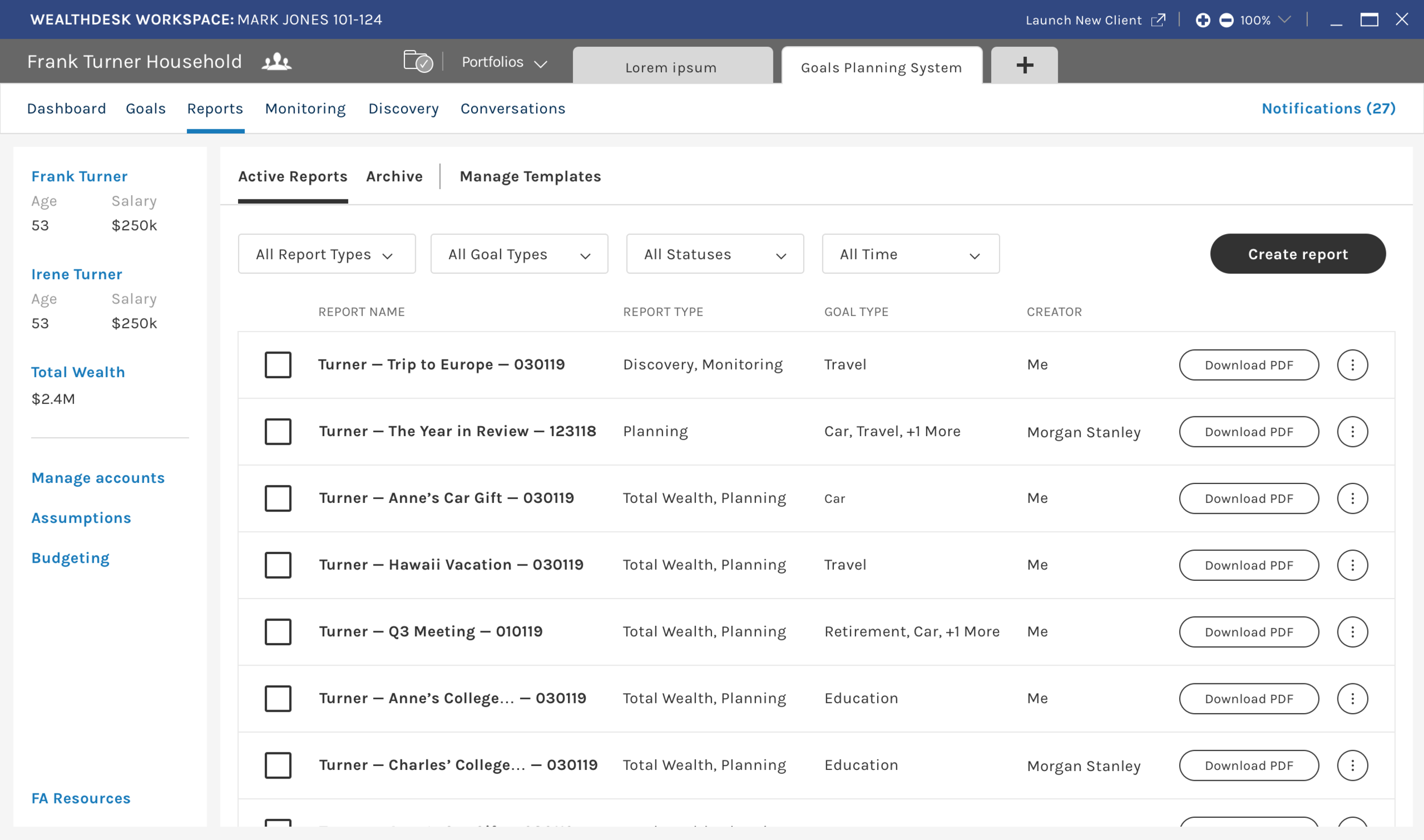
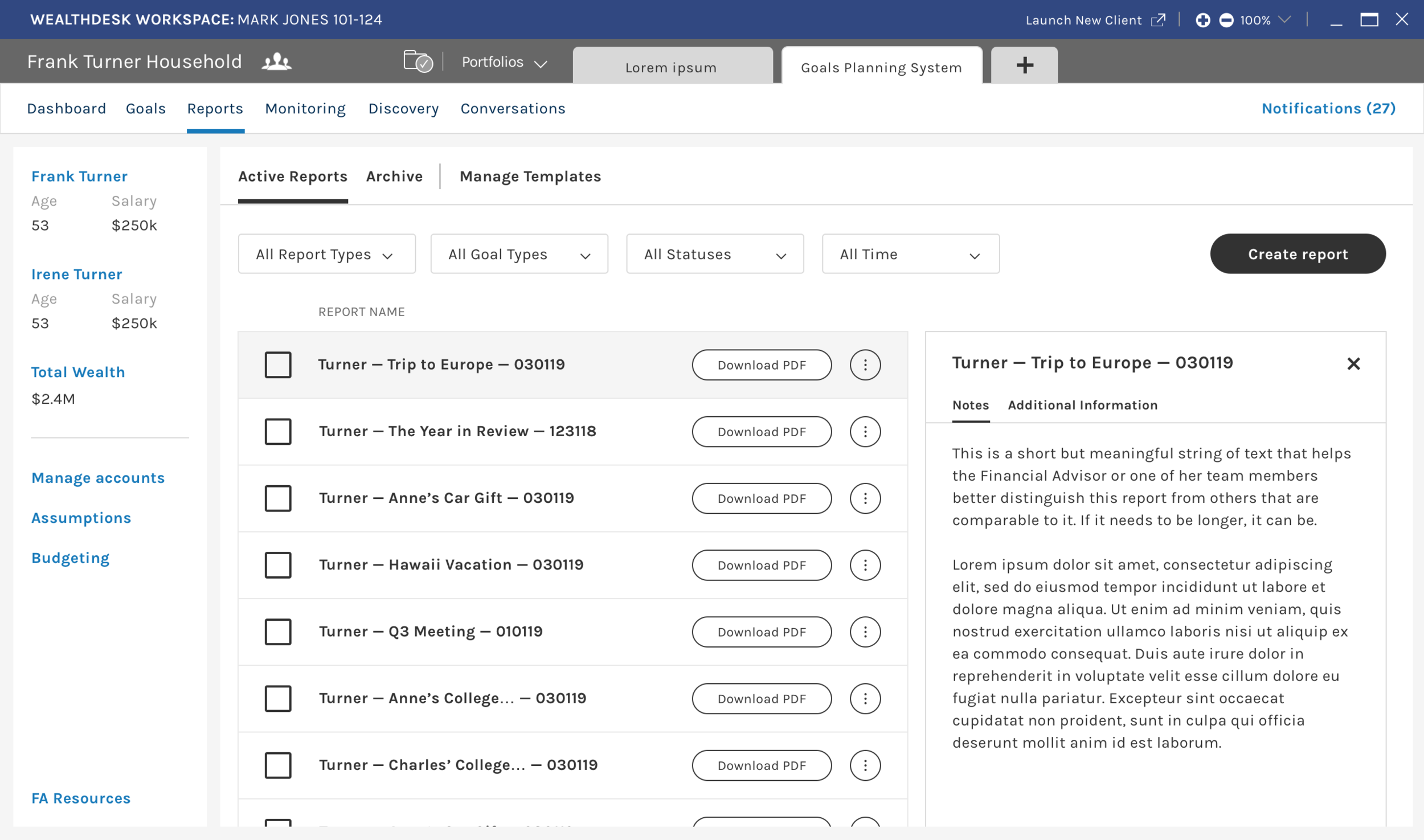
Reporting Module, Main View, Mid-Fidelity Wireframe
What is this module?
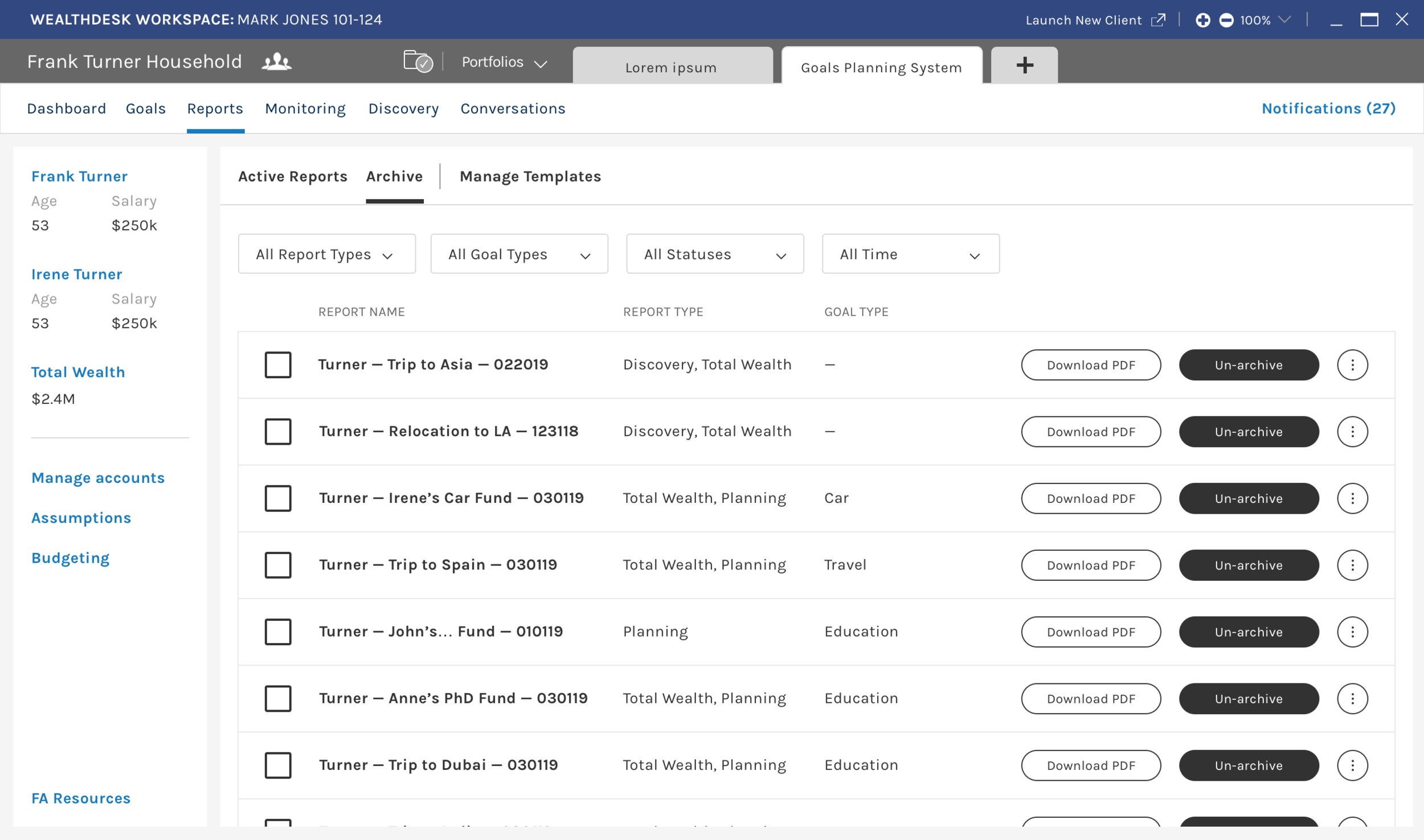
Reporting allows Financial Advisors and their support teams to generate reports and presentations using custom or standardized templates that they can then download and share with clients or with internal partners
We focused on 2 main features:
Viewing active and archived reports within the module;
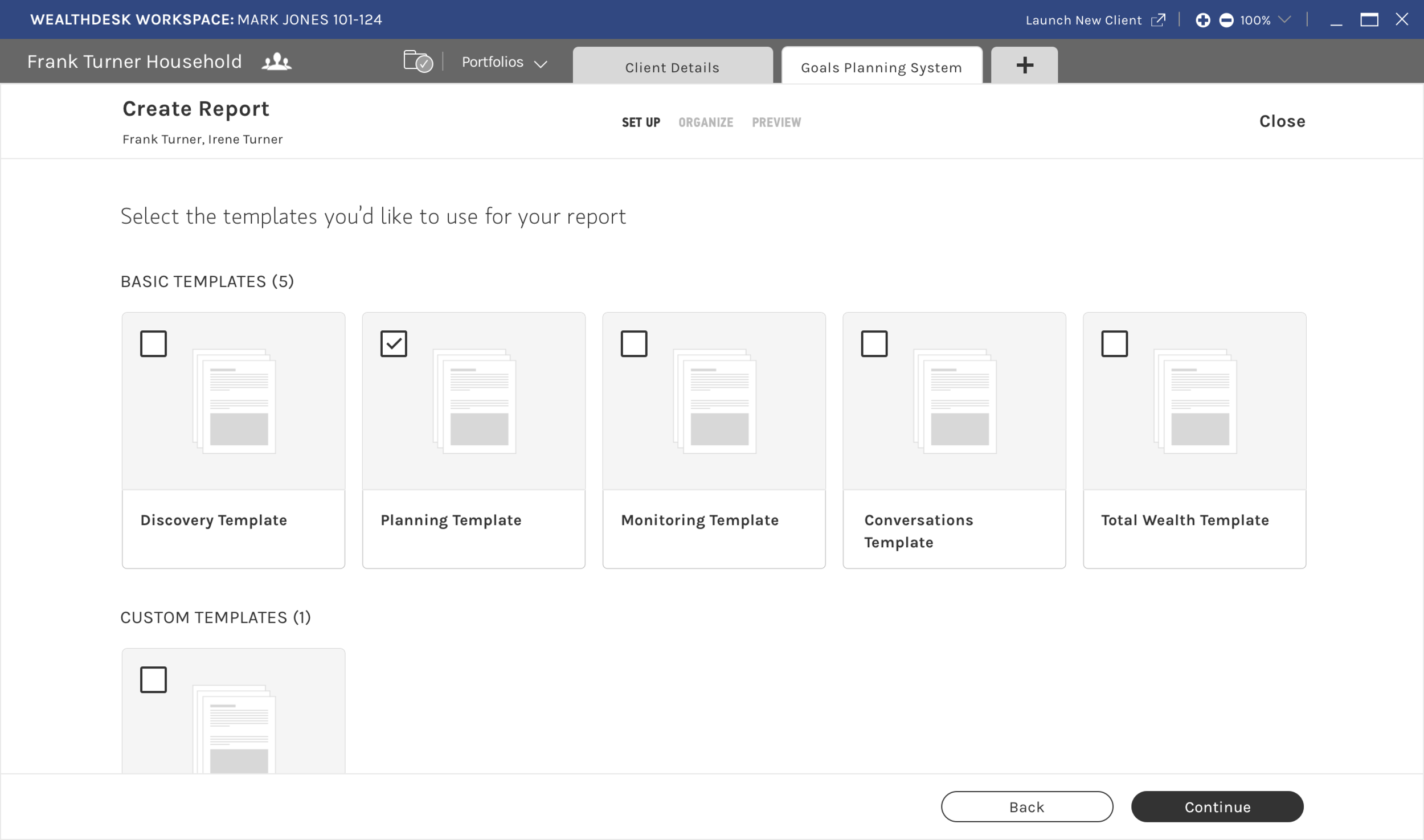
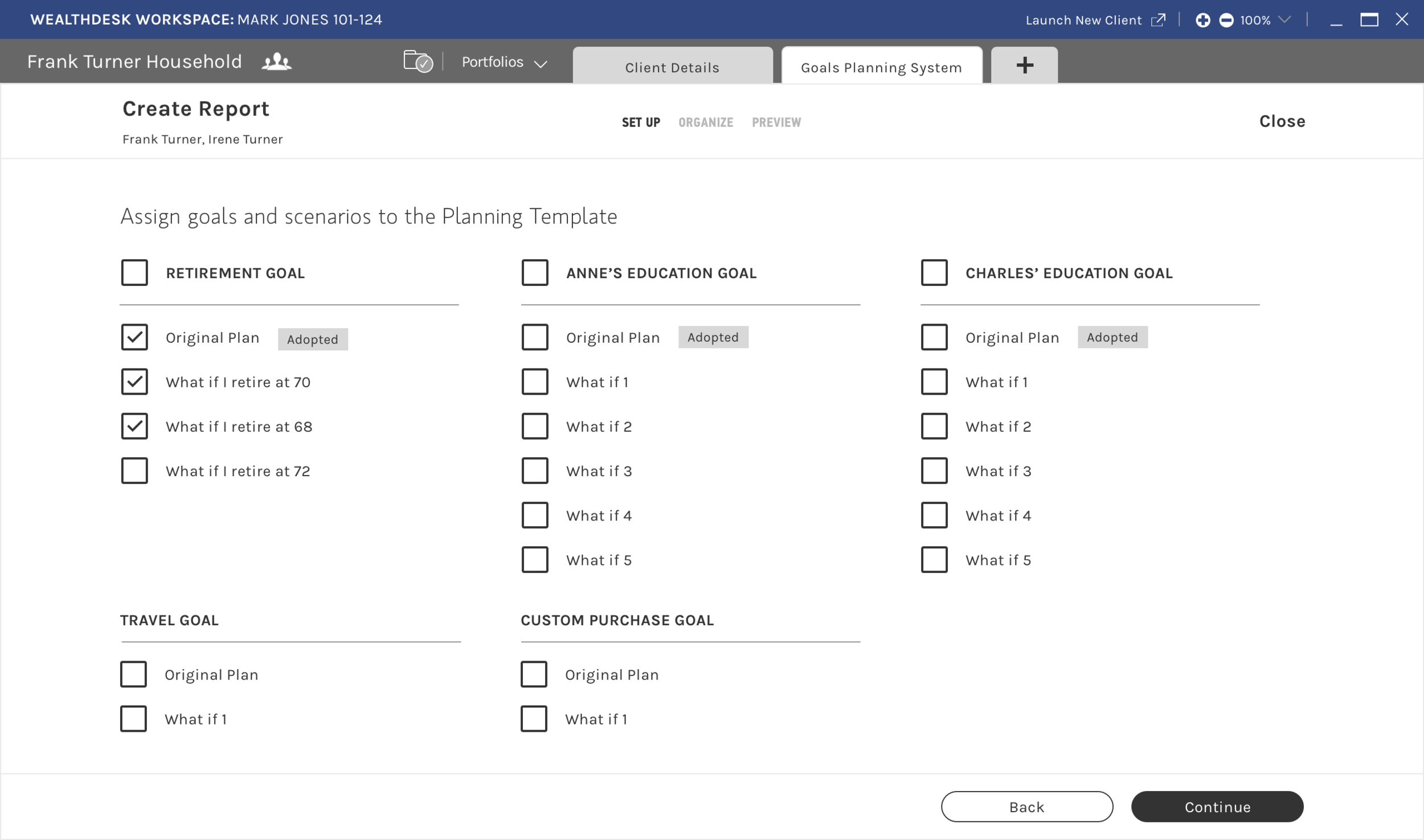
Creating reports and templates via a guided sub-module that could be accessed from multiple locations within GPS
What problems were you wanting to solve?
Support staff, especially junior hires, need more a guided experience to create reports and presentations within GPS
Advisors and their teams wanted an easier way to preview and amend key diagrams and figures while creating the report
Advisors were also looking to create their own reporting and presentation templates
GPS lacked a centralized repository for all reports associated with a specific client or advisor team, and were using other tools to track circulating and archived reports
Were there any constraints?
We didn’t have access to our actual users, and couldn’t validate new task sequences or designs since there was no budget for user research during this early phase
Raw VOC data or analytics were not available to us, and we relied heavily on secondary sources and feedback from our Product partners
How we went about the re-design
We audited the current state, and looked beyond the Firm’s ecosystem
We examined the module’s current state, noting features and processes that needed to be streamlined and simplified
We simultaneously completed an competitive analysis of popular document management and productivity tools to inspire us as we started to visualize potential solutions
We diagrammed primary user flows and drafted key screens
We produced user flows for key tasks within Reporting, and drafted sketches of screens to start visualizing the process
We presented these artifacts to our Business and Product partners to ensure that business requirements were represented accurately and so their POV could inform our design decisioning
We iterated and tested and iterated some more
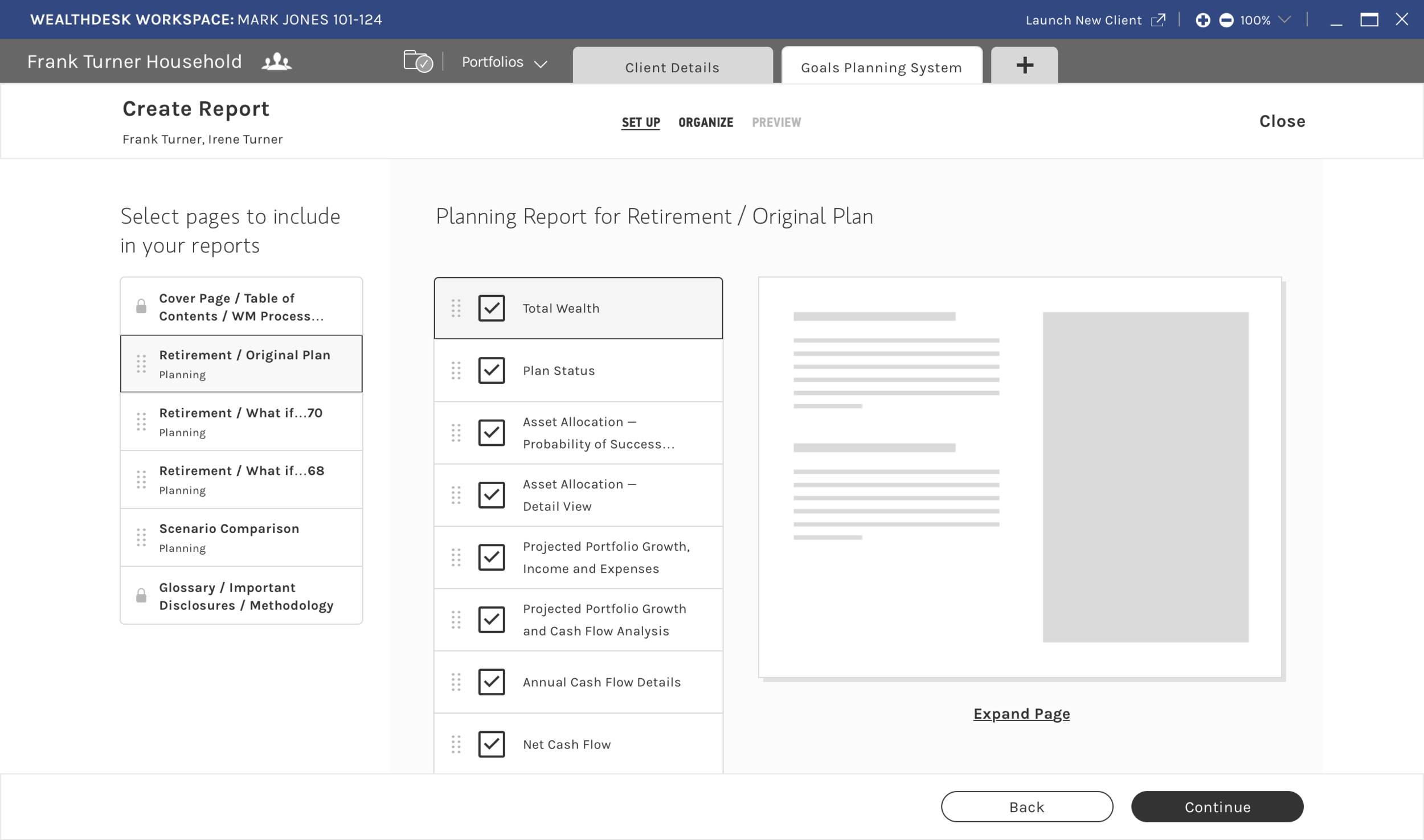
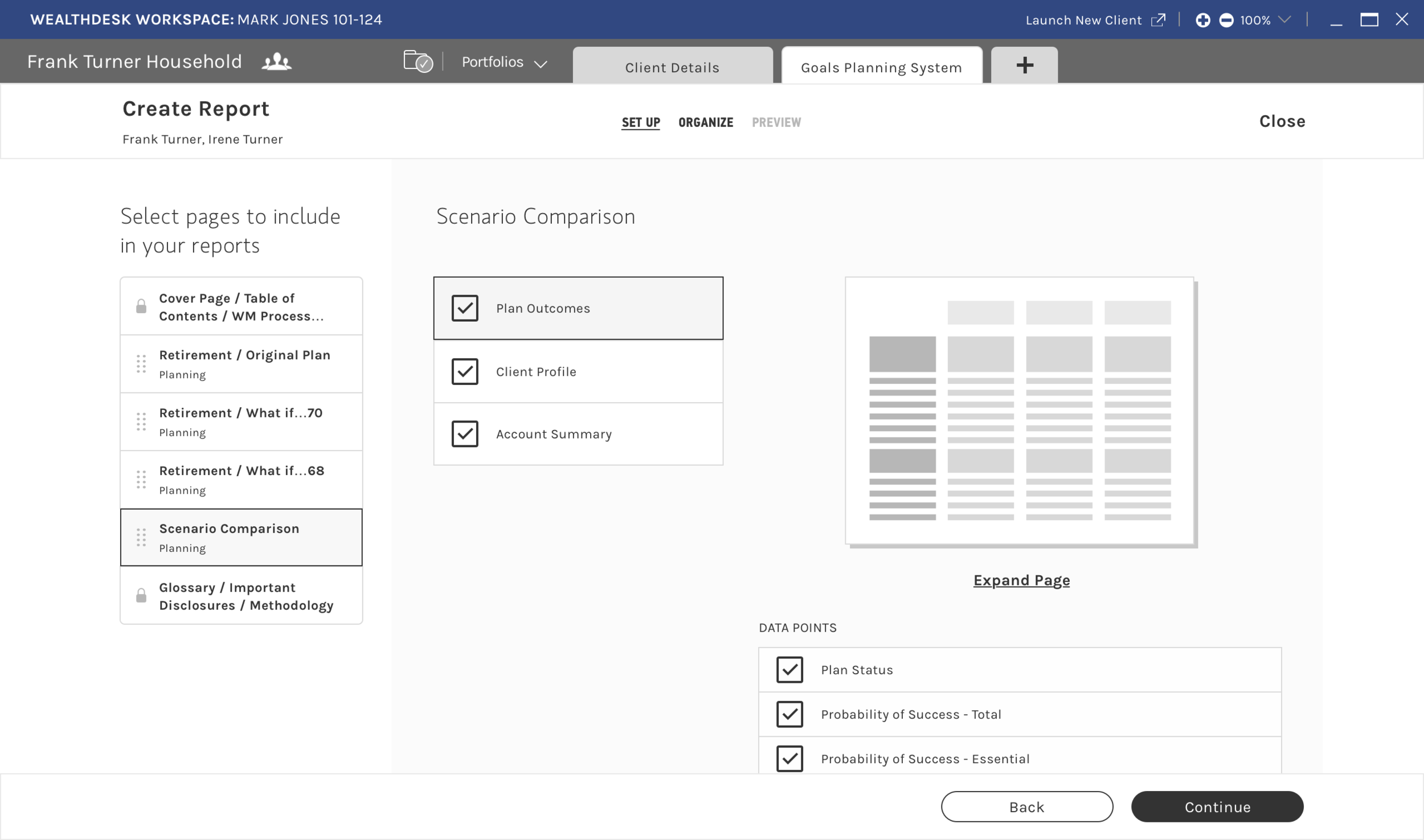
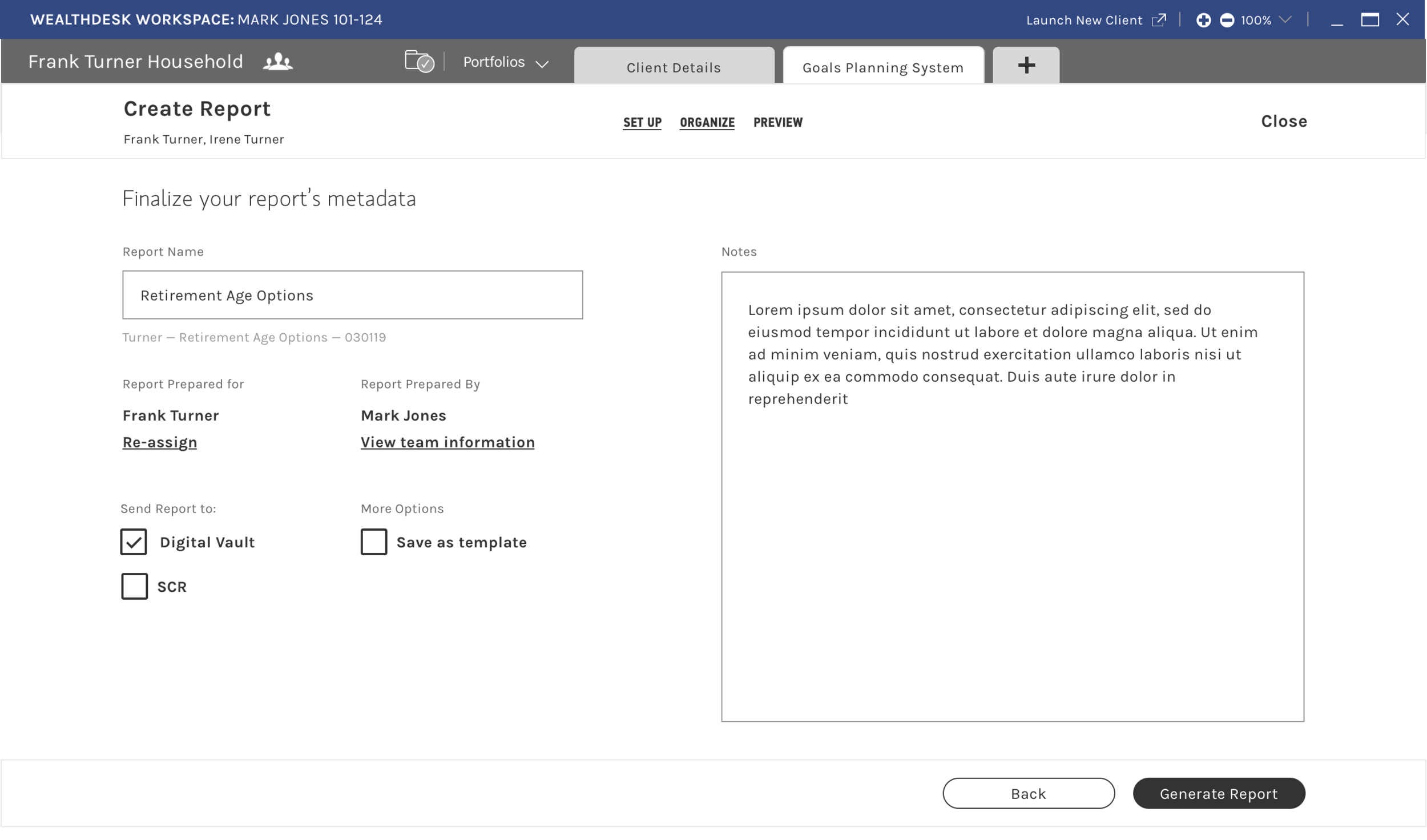
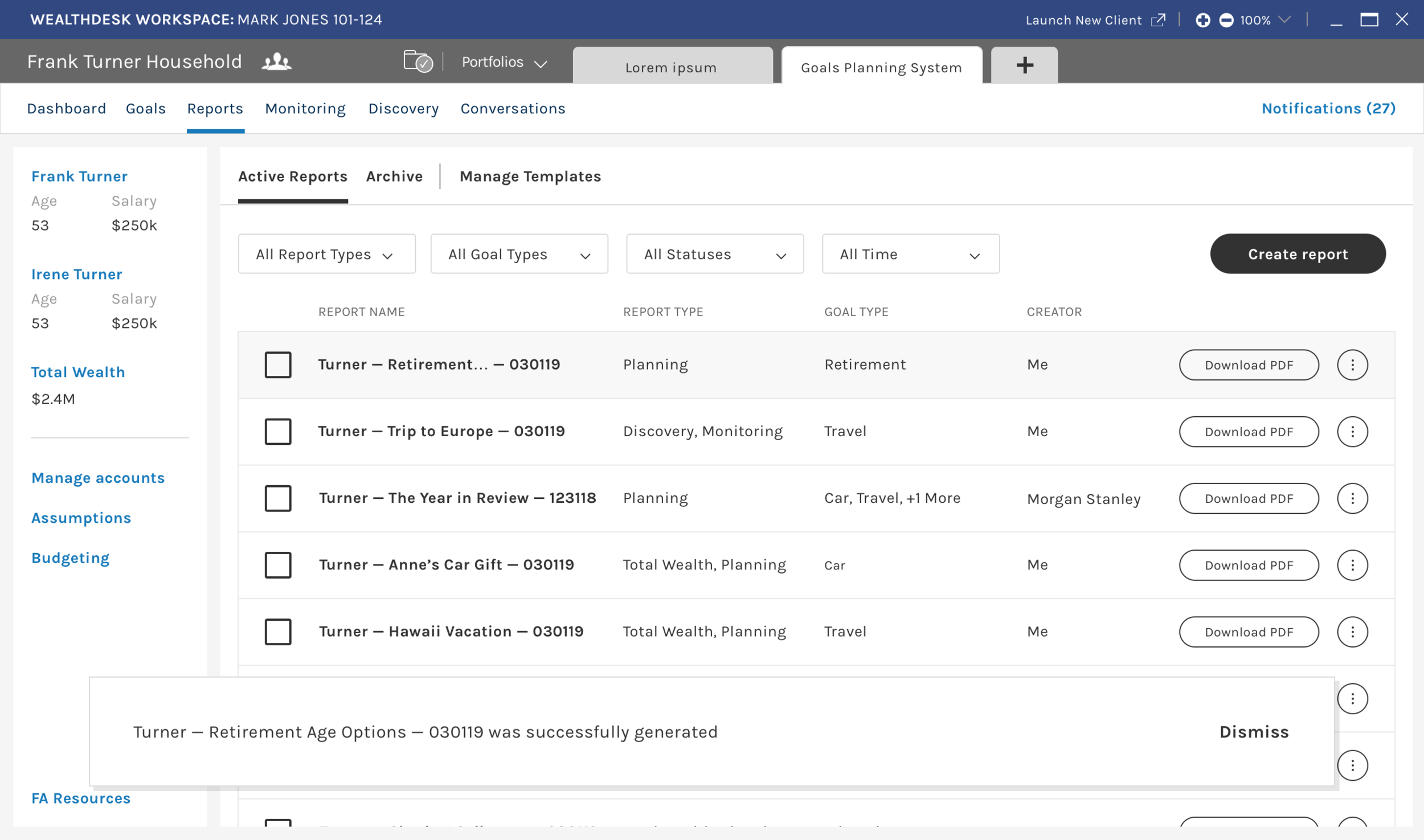
We built out low-fidelity wireframes and prototypes to showcase key interactions within the tool, and held several working sessions with our partners to refine the functionality being prototyped
We also completed “Guerrilla style” testing with non-users who were unfamiliar with financial planning to gauge the prototype’s general usability and intuitiveness
Key wireframes
The end result
Prototypes were socialized with key stakeholders across Product, Business, and Technology. Barring minor content and data edits, the solution was approved for UI design work and handed off to one of the design consultants to apply the Platform’s new branding and voice
I continued to review and monitor the work of the designers executing on the project, and contributed additional material to support other modules in the system, including the Goals module
I then took on more of a consulting role as I was moved on to oversee design for new cash management products on the client channels